Run your agents side by side.v1.1.3
A Tabby plugin for people who keep Claude Code, Codex and Gemini CLI open in several tabs at once.
It replaces the tab bar with a live session deck, so you can see which agent is working, which one is blocked on your approval, and which one hit a usage limit — without clicking through tabs. It previews the files they produce next to the terminal, and fixes the things agent CLIs get wrong inside a Windows terminal: image paste, newline keys, pty width drift, double paste.
Tabby → Settings → Plugins → search agentdeck
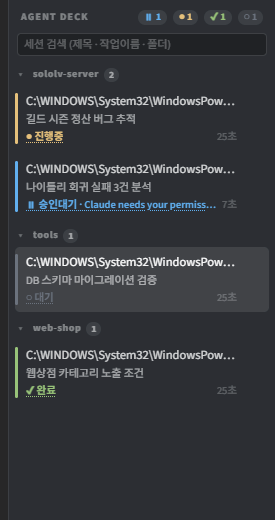
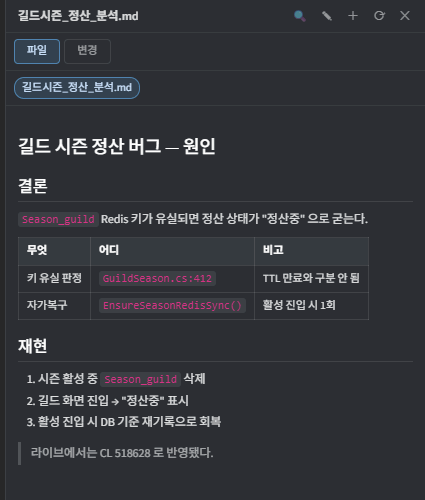
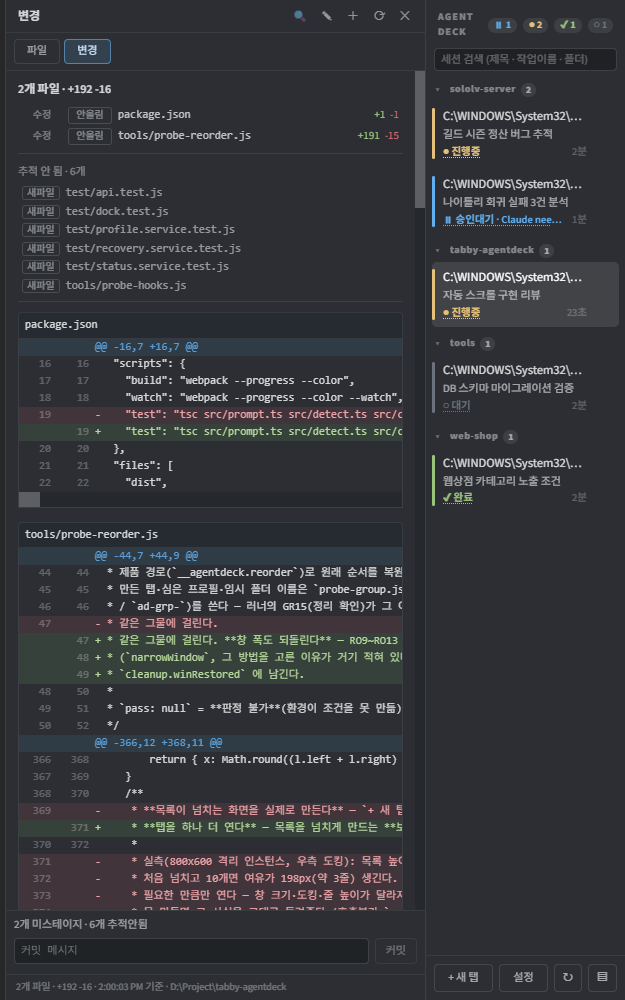
Changes tab: the working tree's diff, staging, and a two-press commit.
What it does
Everything below works with no hook installed — status is read from what is printed on screen, so Codex and Gemini are covered too, not just Claude Code.
Status at a glance
running · waiting · rate limited · done · error · idle, with elapsed time. A waiting row tells you what it wants approved, and a rate-limited one tells you when it resets.
Preview what they made
Markdown, images, CSV and code open in a panel beside the terminal. Paths printed on screen are picked up automatically, so nothing has to be opened by hand. Edit and save in place.
Diff and commit
The working tree's git diff with per-file counts, staging and a two-press commit.
Click a diff line to type file:line into the terminal.
Resume a past session
Closed Claude Code sessions are listed by the prompt you actually typed, not by UUID.
Click one and it reopens with claude --resume in its own working folder.
Terminal fixes
Ctrl+V image paste, Shift+Enter newline, right-click copy/paste without the double-paste bug, and IME composition that no longer jumps a syllable onto the next line.
Keyboard and groups
Ctrl+Shift+L to walk the deck without switching tabs as you go. Sessions group themselves by repository root, with no configuration.
Install
Inside Tabby: Settings → Plugins → search agentdeck → Install → restart Tabby.
From source:
npm install
npm run build
powershell -NoProfile -ExecutionPolicy Bypass -File install.ps1Built and verified on Windows
The status-notification hook is a PowerShell script, so that part is Windows-only. Everything else is platform-agnostic, but it has not been exercised elsewhere — if you run Tabby on macOS or Linux, an issue telling us what broke is genuinely useful.
Something broken?
Settings → AgentDeck → Report a problem → collect builds a diagnostics zip
(version, environment, settings, recorded exceptions). Terminal contents are excluded unless you turn
them on. Attach it to an issue and it is usually enough to find the cause without a back-and-forth.